Hosting an AI girlfriend yourself sounds like installing one program. In reality it's three separate parts working as a team, and knowing which part does which job spares you most of the headaches.
The three parts
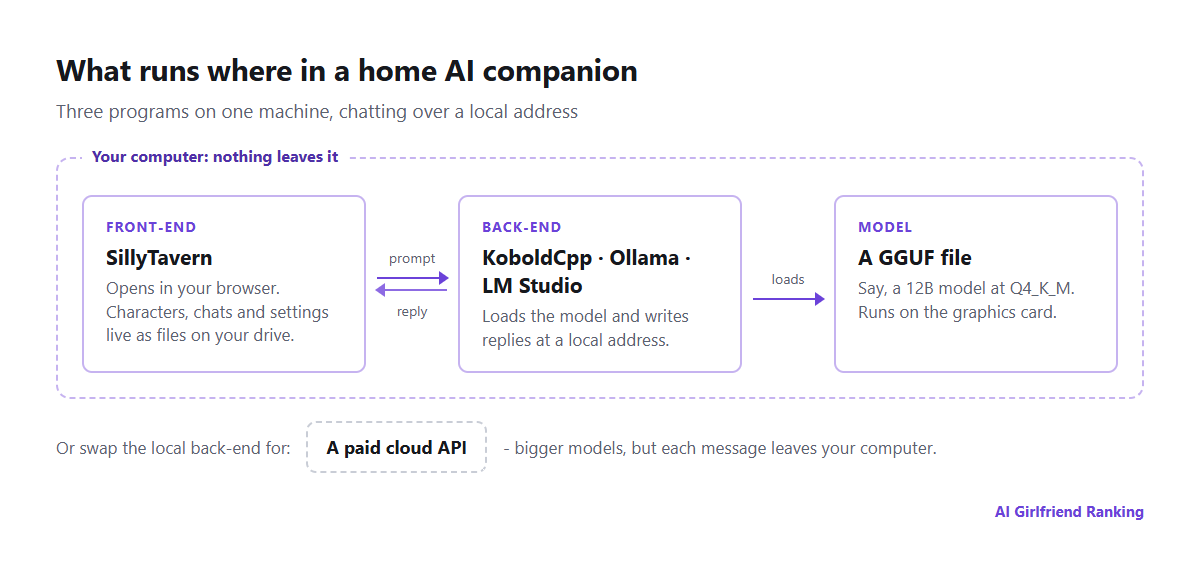
Who talks to whom in a typical home setup.
The front-end is the face of the setup, with the chat screen, character list, avatars and options. Most people choose SillyTavern for character chat. You use it in a browser tab, your characters and logs are saved as plain files on your own disk, and it can link to just about any back-end. Writing text isn't its job.
The back-end is the engine that opens the model and writes the replies. KoboldCpp is one file that needs no installing, and roleplayers rate it because every generation setting is on show. Ollama is the quickest way to get going, needing only a few commands. LM Studio is a desktop program with an easy model shop built in. Whatever you pick, the model gets served at a local address that the front-end plugs into.
The model is a hefty download, usually a GGUF file from Hugging Face. Its quality and its appetite for hardware come down to two things: the parameter count (8B, 12B, 24B) and the level of compression applied, called quantisation.
Will your hardware cope?
Graphics memory (VRAM) is the deciding factor. The model must fit inside it, with space to spare for the chat. Compression shrinks models to fit, and "Q4_K_M" is the usual middle ground between small size and good quality.
| Size | Memory needed (Q4) | Hardware | Expect |
|---|---|---|---|
| 7-8B | 5-6 GB | 8 GB graphics card | Sensible and snappy; long scenes lose the thread |
| 12-14B | 9-10 GB | 12 GB card | Characters and prose a clear step up |
| 22-24B | 14-16 GB | 16-24 GB card | Rivals decent hosted apps at roleplay |
| 70B | 40 GB+ | Two cards, or a Mac with plenty of memory | Excellent, but slow and costly |
These are ballpark figures, and a longer context needs more on top. On Apple Silicon the Mac's memory serves processor and graphics alike, which lets a 32 GB MacBook run models that a 12 GB graphics card can't. When a model is too big it overflows onto the main processor and slows to a crawl. If replies dribble out a few words per second, drop to a smaller model rather than squeezing the big one harder. A small model at decent quality generally outperforms a large one that's been over-compressed.
What you get out of it
- Privacy without relying on anyone's policy. Nothing leaves your computer. No retention period, no training on your chats, no staff who can read them, nothing to delete afterwards.
- Only the model's own limits. You choose the model, roleplay-tuned ones included. Australian law still applies to what you create, but no company piles its own restrictions on top.
- Zero ongoing fees. No plan, no credits, and no limit on how much you generate.
- Characters that are yours. A character card is an everyday PNG image with the character sheet tucked inside. It carries across to other front-ends, and no update can pull it from you.
- Steadiness. A model that behaves a certain way today will behave the same way in five years, and nobody can quietly replace it. Compare the risk described in when your AI companion changes overnight.
What you give up
- Time. Plan on an evening to get your first chat working, and weeks of fiddling if you enjoy that.
- You look after memory. A hosted app summarises and files facts about you behind the scenes. At home you do it yourself through SillyTavern's lorebooks, summaries and character notes. They mirror the mechanisms in how AI companion memory works, only with every dial within reach.
- Pictures and voice mean extra projects. Making images calls for a second model and typically more VRAM, and voice needs speech-to-text and text-to-speech software. It can all be done, but none of it happens by itself.
- Phones are awkward. On your home Wi-Fi you can reach the front-end from your handset. Away from home, you'd have to open your computer up to the internet, and that needs real caution.
- A lower top end. The strongest hosted models are larger than anything a typical home machine can run, most noticeably at keeping a character consistent over months.
The in-between route, and where it falls short
A common compromise is SillyTavern on your own computer, wired to a paid cloud API rather than a local model. You keep the controls and your character files, gain access to much bigger models, and pay per message, which stays cheap if you only chat lightly.
It isn't private, though. Each message goes to the API provider, which applies its own logging, retention and content rules, often stricter about roleplay than dedicated companion apps. That's a different trade-off, and it's not a local setup.
Staying safe
- Download programs from their official GitHub pages or the project's own website, and nowhere else.
- On Hugging Face, stick to well-known uploaders and prefer GGUF files, since they carry model weights, not executable code.
- Skim each model's licence. Some rule out commercial use, and a few restrict particular content.
- Leave SillyTavern visible only to your own computer or home network, unless you've set a password and know what exposure you're taking on.
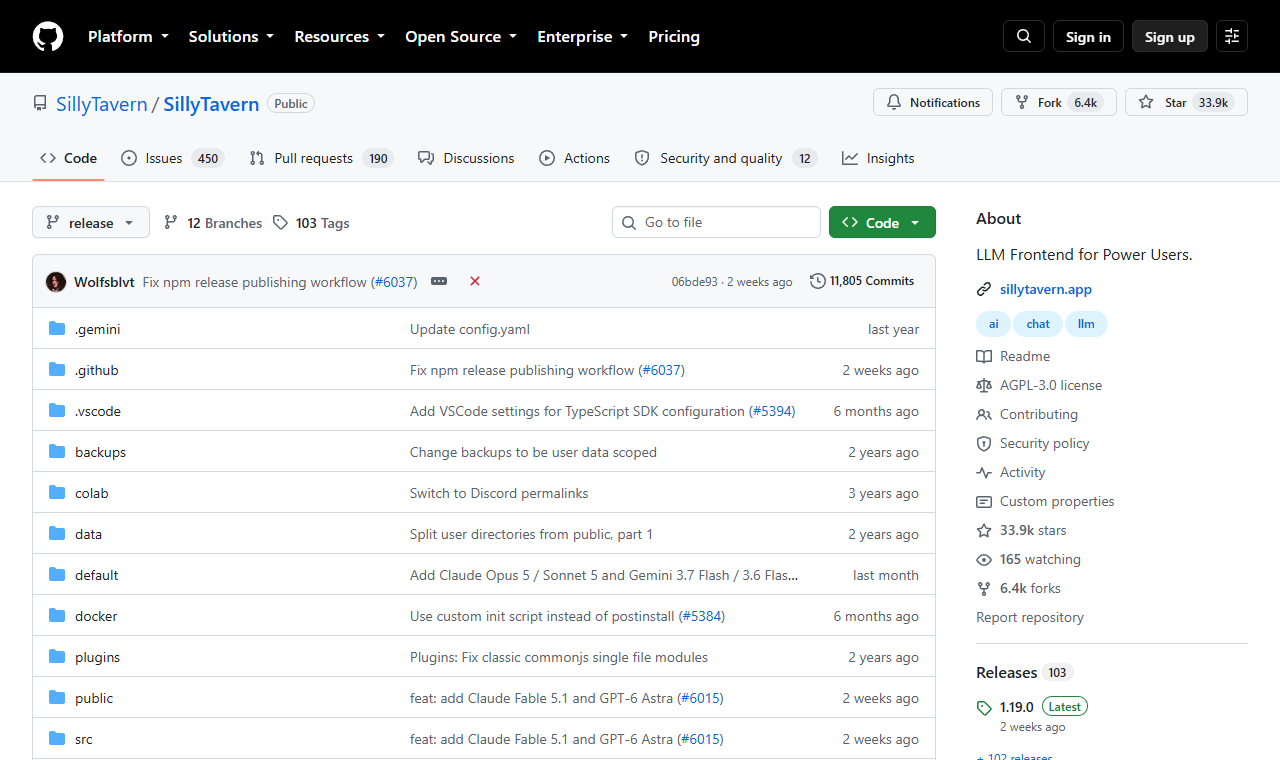
SillyTavern is built in the open on GitHub.
Who should bother?
Go local if privacy is your top priority, you already own a capable machine, or you like tinkering as much as chatting. Stick with a hosted app if you want voice, pictures and long memory working straight away, or you mostly chat on your phone; our guide to choosing a first app covers that path. Plenty of people end up with both: a hosted app for convenience, and a local setup for chats they'd rather keep off anyone else's server.